


- Date
- March 2026
- Contributors
- Petr Prasil, Matthew Martin, Luke Anderson, Brianna McCulloh, Inupa Mandis, Tony Le, Dennis Feklistov, Nitesh Sigdel
- Tools
- Power Apps; Power Automate; SharePoint; REST APIs
Employee Self Service App
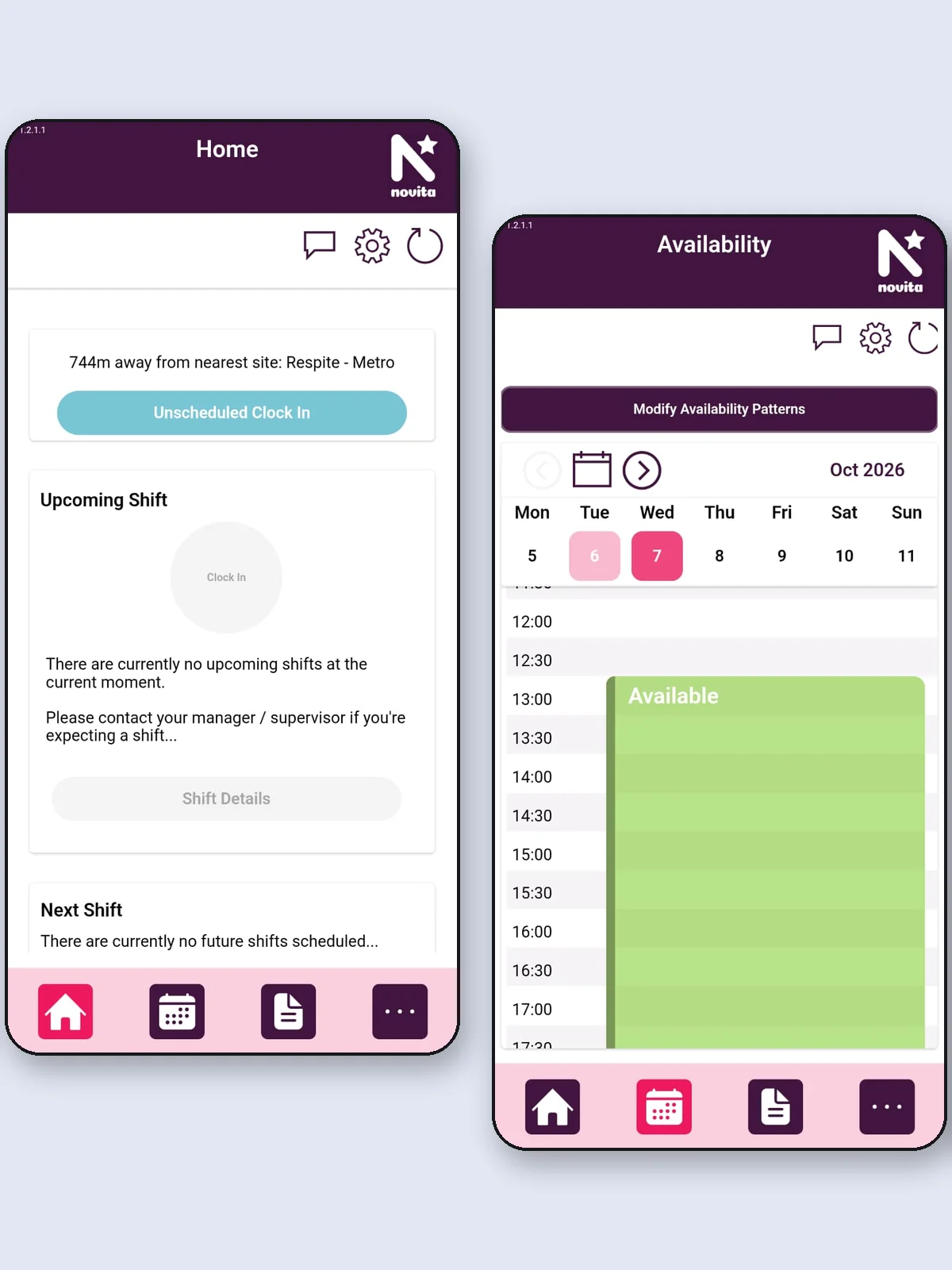
A mobile app for workers to list their availability, receive and confirm shifts, and clock in.
My first project as a research officer at Novita. I joined when it was about 30% done and saw it to completion
Core ideas
Shift
A confirmed period in a person’s calendar when they’ll do paid work, on pre-agreed terms.
Roster
A sequence of shifts, their details, and who has agreed to work them.
Availability
A period in a person’s calendar when they’re happy to work but have no shifts scheduled yet.
REST API
An architectural style for systems exchanging data over HTTP, usually as JSON. Each request carries everything needed to answer it, so the server keeps no session state between calls.
Challenge
The app started as a UI prototype built under a tight deadline. When I joined, its interface was mostly presentable and the features to deliver were (mostly) agreed, so the decision was to keep building on it until it became the final product.
- Team The app was built by student interns on 12-week placements, usually two at a time, with about a week of overlap between groups. I was the only graduate on the team and was allocated limited amount of time to contribute.
- Dependencies The app extended a rostering system that another team was building in parallel. We connected to the shared data through REST APIs that they released gradually, often only after we asked for a new endpoint.
- Infrastructure A third team managed the infrastructure, so any permission or change request meant a slow back-and-forth.
- Platform The work was done in Power Apps (UI) and Power Automate (data parsing and integrations), in a cloud-only editor that often fought us:
- Global search stopped working when several people were editing at once.
- No version control: one shared copy edited live, like a Google Doc, so backups were
copyV33-style duplicates. - About once a month the built-in error checking reported false errors until the editor was restarted, which cost hours of troubleshooting.
- Power Fx, the formula language most of the app is written in, runs asynchronously, so logic can’t be written as a dependable sequence of steps.
- Behaviour on Apple devices was poorly tested by the platform itself, so we saw regular UI glitches and data type conversion issues there.
- Learning resources were thin: AI assistants barely knew Power Fx syntax, and few people publish good practices for it.
Approach
Because our app depended on the rostering system, that team’s checkpoints set our pace: once a new API for a feature was released, we connected the app to it. When their deadlines approached, I joined the students to close any remaining gaps; the rest of my time went into trying smooth out challenges above.
We released the app to a small test group as early as possible. That surfaced bugs sooner and gave us some early feedback on usability. From then on, we aimed to publish an update every week, so any newly introduced bug was caught early.
How it works
Test and production environments
To work around the cloud-only editor, I set up separate Power Platform environments. Developers published changes to a test version of the app while users kept their own production version, which was updated whenever a test version reached acceptable quality.
Bug reports in the same backlog as features
The app already had a built-in bug reporter that saved a complaint and a screenshot to a SharePoint table. I connected each report to Microsoft Planner, so bug fixes and feature work lived in the same place.
Logic in one place
To standardise development, I moved as much of the app’s logic as possible into a single dedicated component, so it was less likely to end up hidden in a property of a deeply nested, invisible button. (We still found a few of those.)
Flows organised by entity
We organised our Power Automate flows around the domain entities they served, so each flow only needed to know one JSON schema for the object it receives and returns.